Features
What ClinicDent does, module by module
The system covers the day-to-day running of a dental clinic — reception, surgery, hygiene, patient records and accounts. A breakdown of specific capabilities, ordered by the patient’s journey through the clinic.
01 · Reception and patients online
Reception and patients online
How patients book, how they are reminded and how they communicate with the clinic.
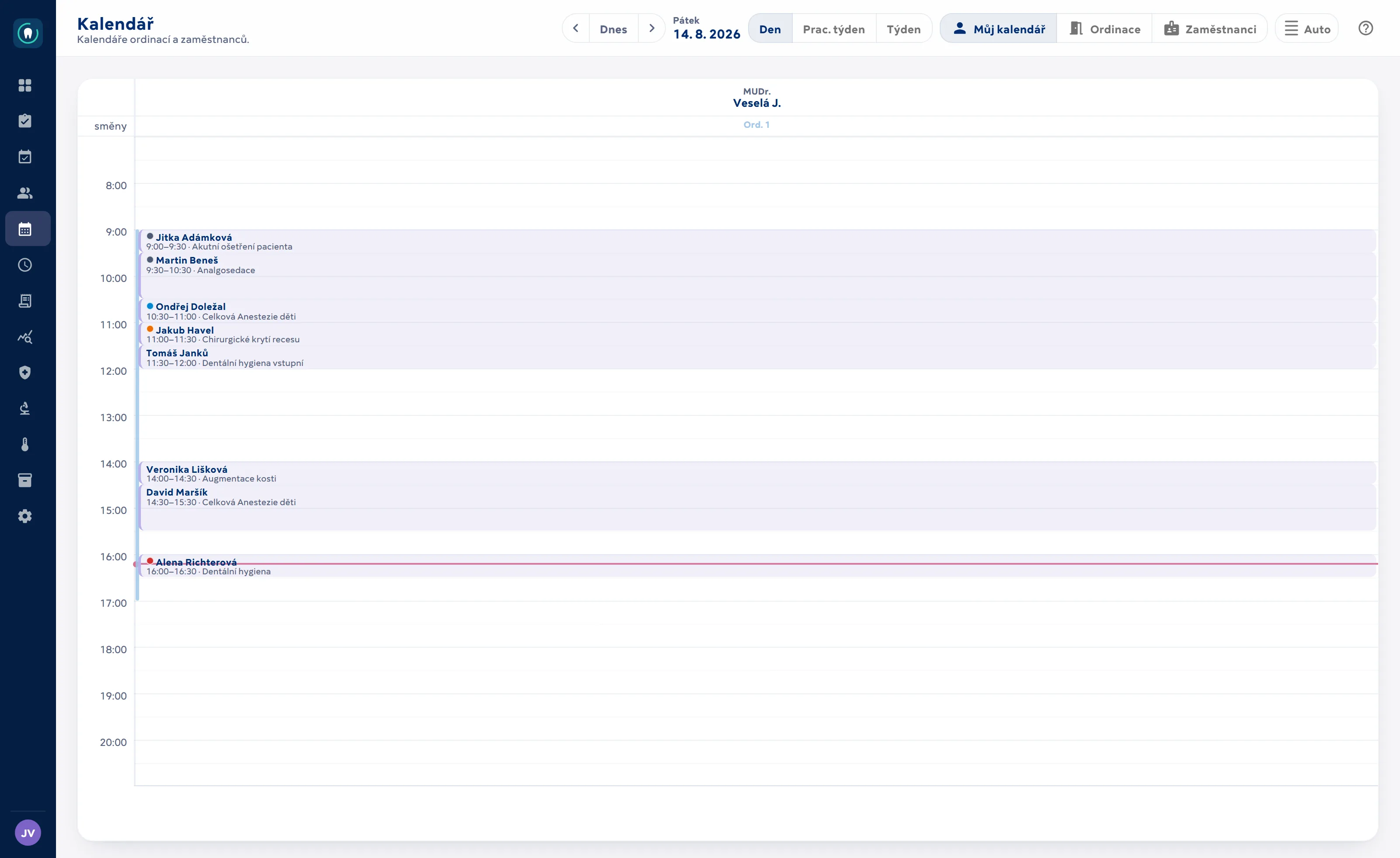
Scheduling and calendar
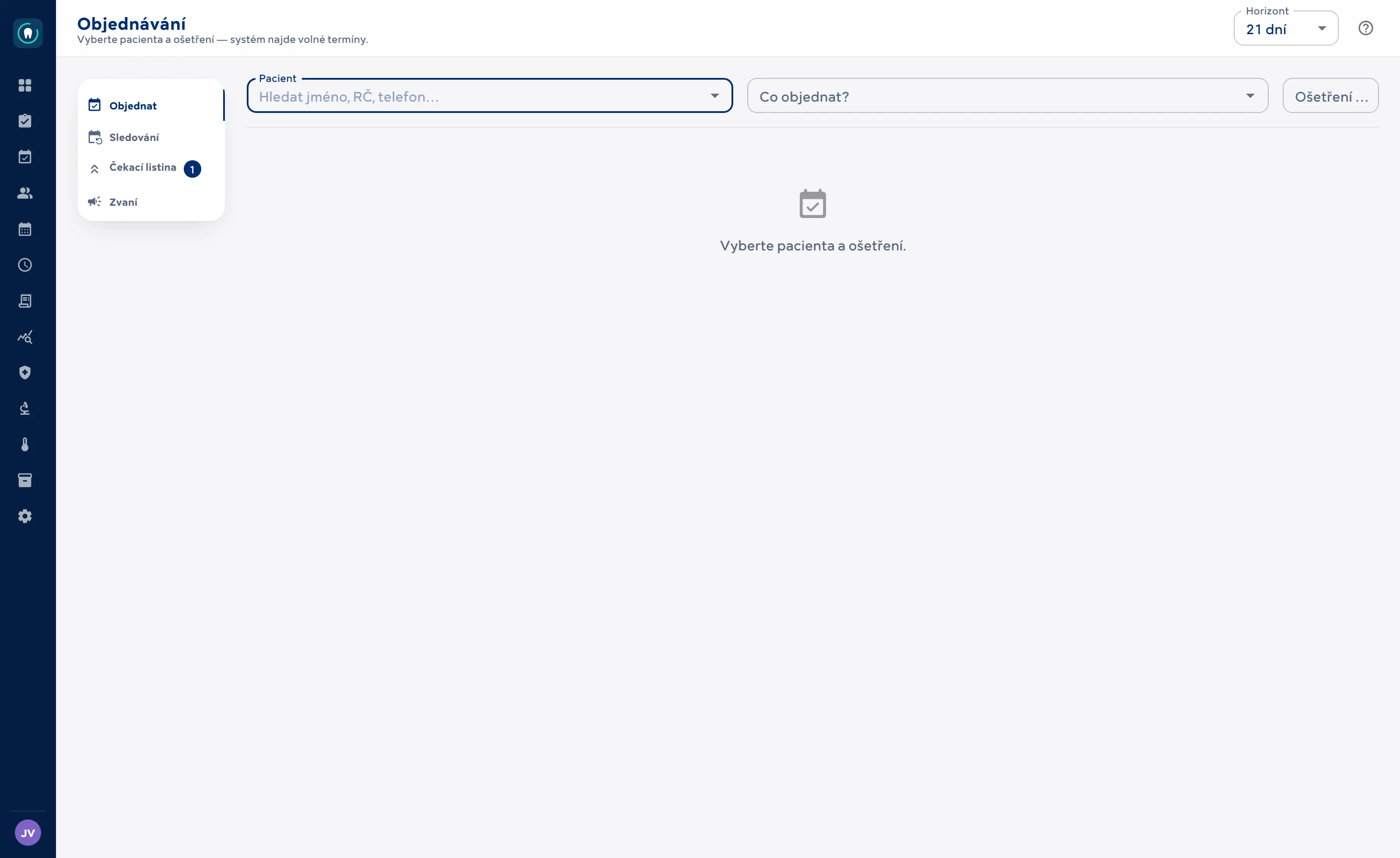
The system finds free slots on its own — based on who performs the treatment, which dentist the patient is registered with and what is actually available.
- Free-slot search by treatment — takes into account which dentists perform the procedure, who the patient is registered with and how long the treatment takes.
- Shifts can be reserved for specific treatments only; the calendar checks the availability of the dentist, the surgery and the patient.
- Multiple branches and surgeries in one calendar.
- Monthly view with an occupancy heat map and a drag-to-select time-window filter; bookings up to a year ahead.
- Recovery time after analgosedation is blocked automatically; the calendar knows public holidays and generates no shifts on them.
- Appointment details in a side panel — the patient’s risks, contacts, finances and history without leaving the calendar; a new patient can be created right from the booking.
- Rebooking: a list of patients who cancelled and have no new appointment, with automatic reminders.
- Appointment reminders by e-mail and SMS, calendar invitations in ICS format.
Recall for regular care first iteration
Recall without manual tracking: the system works out who is due for a check-up or hygiene visit.
- Each treatment can have a “recall after X months” interval — by default hygiene after 6, check-up after 12.
- The queue is calculated from the calendar: last visit + interval; patients who already have a future appointment are not invited.
- Actions per patient: invite by e-mail (from a template), mark as invited, postpone, do not invite.
- Overdue patients are highlighted — you can see at a glance who is dropping out of care.
Online booking portal for patients
A public page where patients book themselves — no phone call, no account needed.
- A separate public application on its own domain.
- Patient identity = e-mail verified with a one-time code; no registration, no password.
- Only treatments the clinic explicitly allows for online booking can be booked.
- Slots are found with the same logic as at reception — no double bookings.
- Payment at booking: for selected treatments the portal collects a card deposit (ComGate) tied to the appointment; the patient accepts the terms and conditions.
- Portal texts (introduction, cancellation policy, signing information) can be edited by the clinic in the settings; only changes from the default texts are stored.
- The portal speaks Czech, English, Slovak, German and Ukrainian — including treatment names and descriptions for patients.
Patient communication
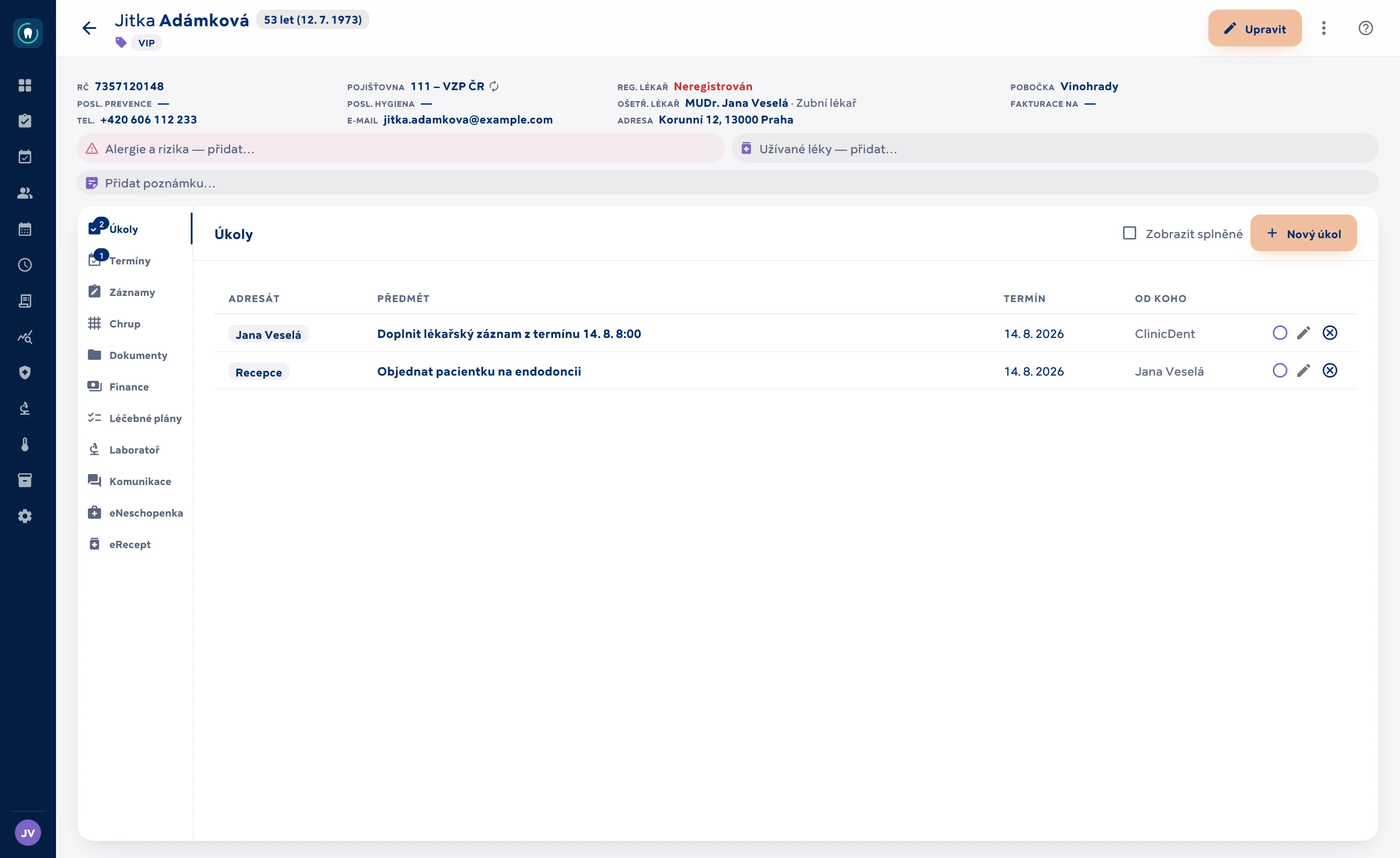
SMS and e-mails from templates, with history in the patient record — including what the patient replied.
- SMS and e-mail templates that fill in patient and appointment details.
- Any language: the clinic adds a language to its code list and writes patient texts in it. A missing translation never means an empty message — the text falls back to Czech.
- System templates come ready in five languages (Czech, English, Slovak, German, Ukrainian); branches have a short name for SMS.
- Sent and received messages are stored in the patient’s communication history.
- Automatic appointment reminders and tracking of patients who haven’t rebooked.
- Medical records sent by e-mail straight from the record — attachments from the patient record and DS Core; large files via a secure download link with limited validity.
- Incoming e-mails and SMS are loaded and linked to the patient.
- Internal clinic messenger: private and group threads, real-time delivery; anyone can “take ownership” of a group message.
02 · Surgery
Surgery
Patient record, medical records and chairside clinical work.
Patient record
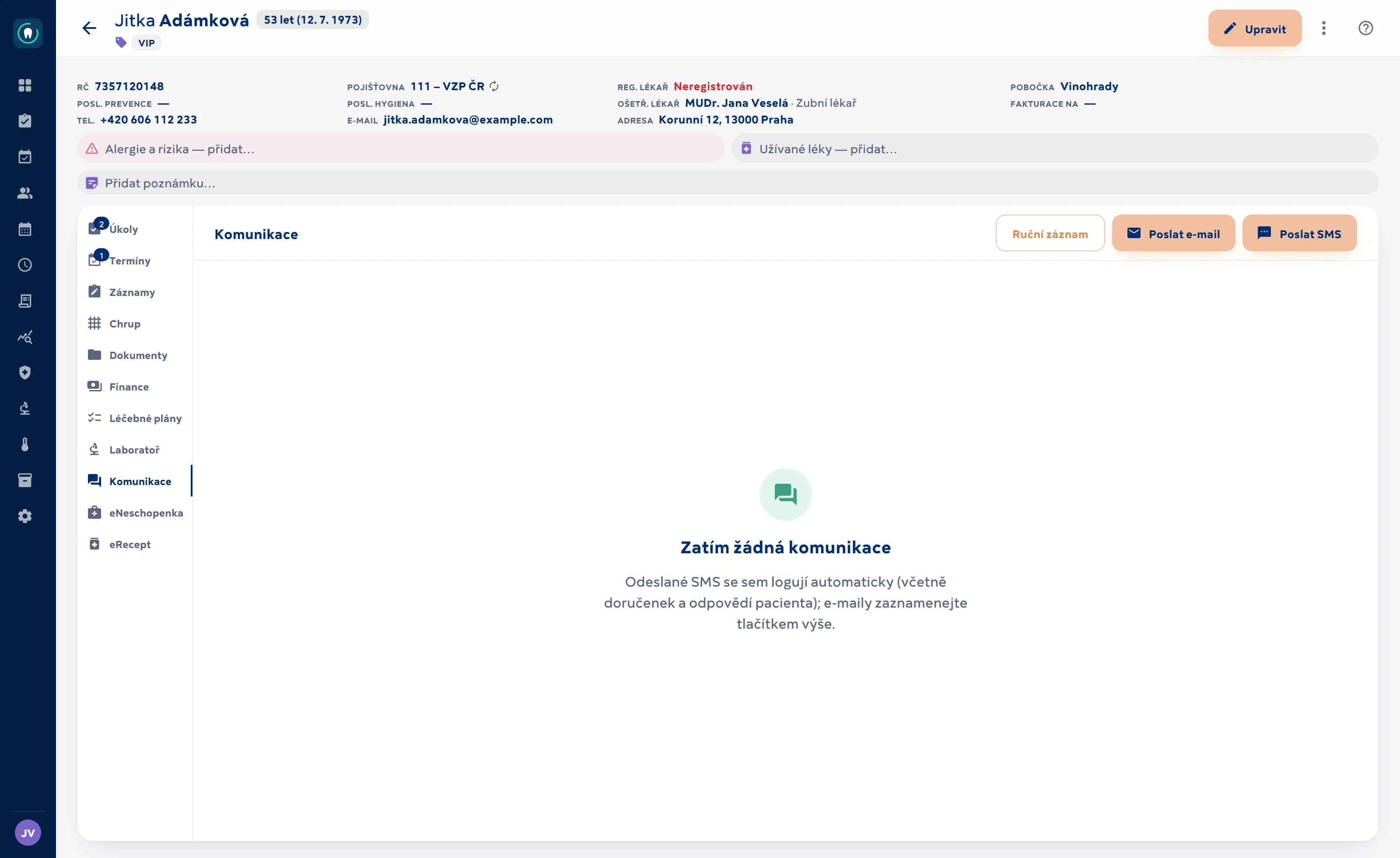
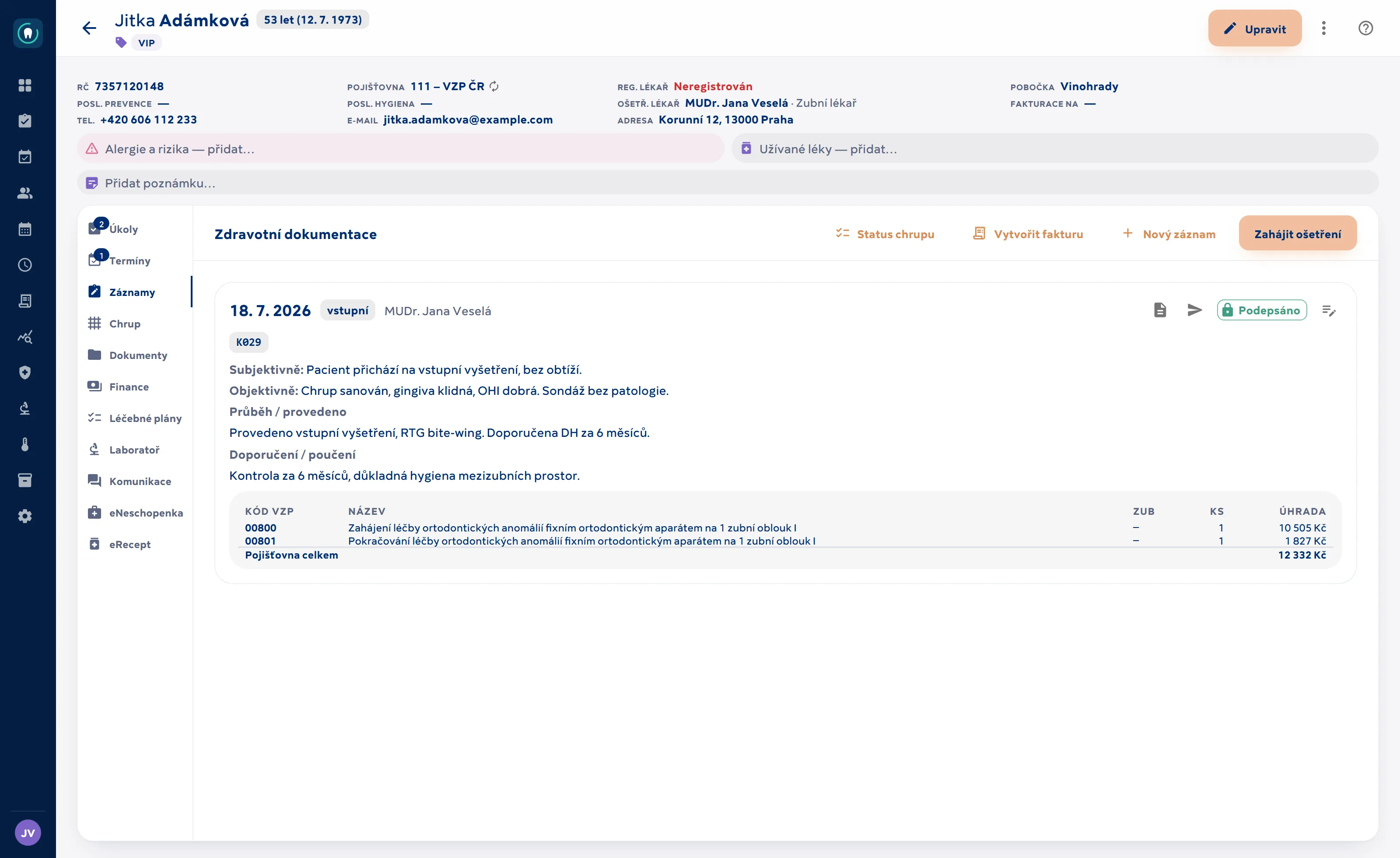
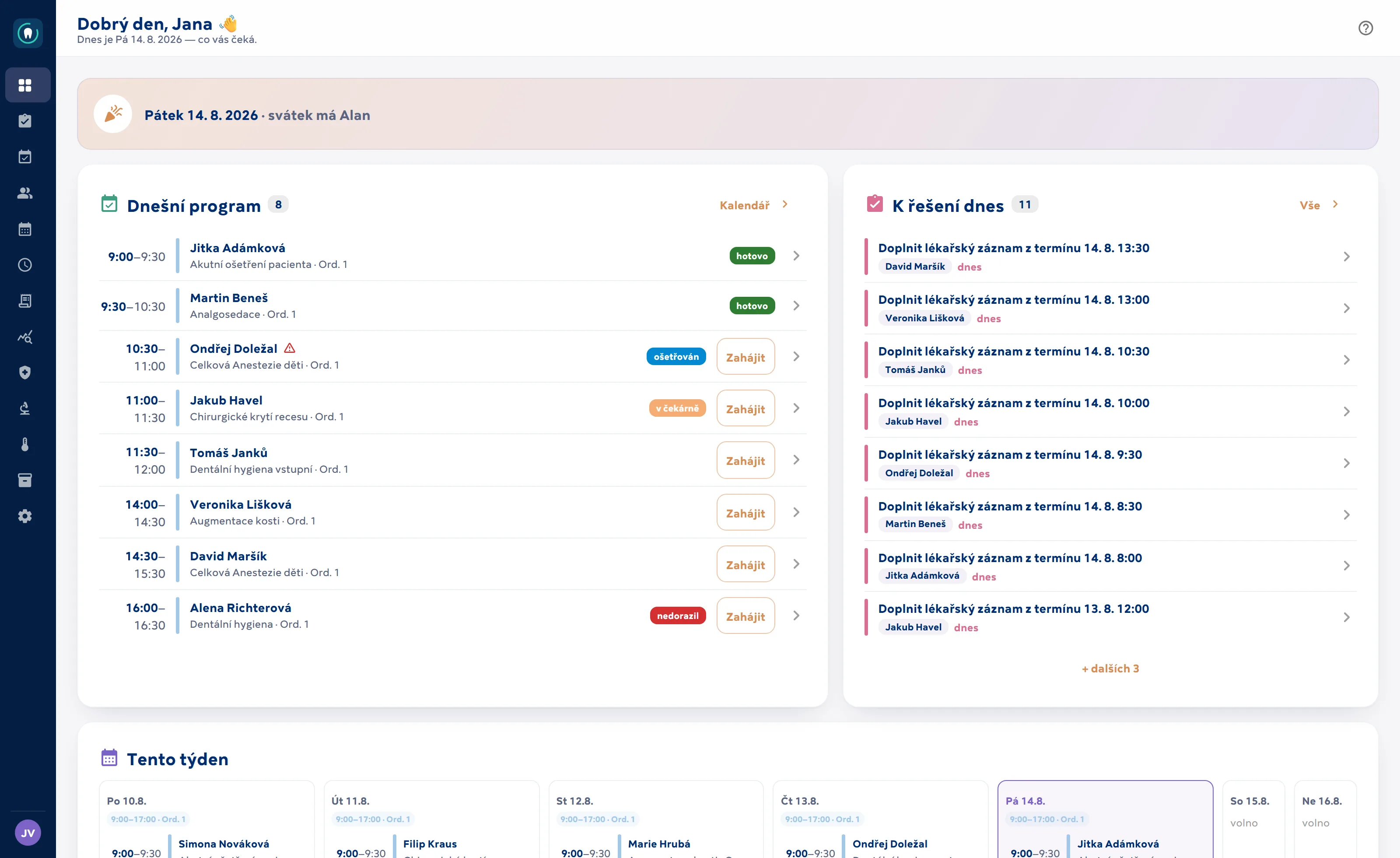
One screen from which the dentist sees and does everything — appointments, clinical notes, dental chart, documents, finances and communication.
- Personal details, contacts, health insurer, treating dentists, linked persons (family) and tags.
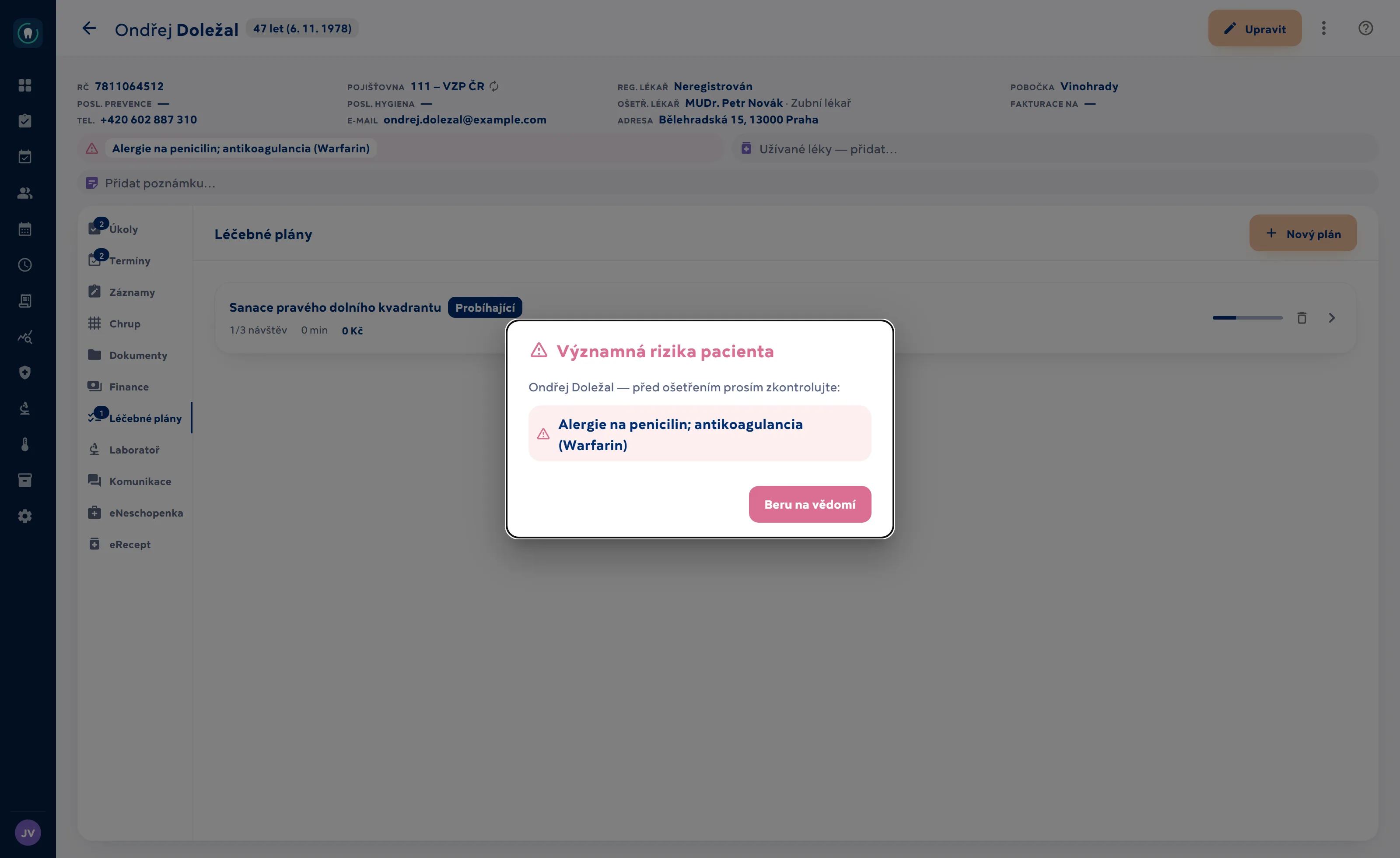
- Clinical tags and alerts shown right at the top — allergies, risks, special needs.
- Tabs: Tasks, Appointments, Records, Dentition, Documents, Finances, Treatment plans, Communication, eNeschopenka, eRecept.
- Internal notes kept separate from the medical records.
- GDPR right in the record: export of the patient’s data (PDF and JSON, including access history) and controlled erasure or anonymisation that respects retention periods — with a log of requests.
- Migration from your previous software: from an export we can import the patient register, calendar, clinical notes and claimed care; the import can be safely repeated. The scope depends on what your current software can export — we go through it beforehand.
Medical records
Structured clinical notes that lock once signed. Corrections are made by addendum, never by rewriting history.
- Append-only entries: a signed record can no longer be changed; a correction is added as a new addendum. Automatic monthly closing of records and versioning with history in the patient record.
- AI assistance for clinical notes (optional): from a draft it suggests clean text, a table of insurer codes, patient billing, dental chart changes and diagnoses — all as a proposal confirmed with one click. Runs on the clinic’s own API key.
- Procedures performed are written straight into the clinical note, including the specific tooth.
- Voice dictation of clinical notes right in the record editor — in Czech, with punctuation commands (in browsers with speech recognition).
- Missing-diagnosis warning before a procedure ends up in the insurer claims batch.
- Patient attachments (X-rays, photos, PDFs) in encrypted storage, up to 50 MB per file.
- Audit of access to medical records as required by Czech Decree No. 98/2012 Coll. — who opened what, and when.
Dentition, periodontal chart and prevention
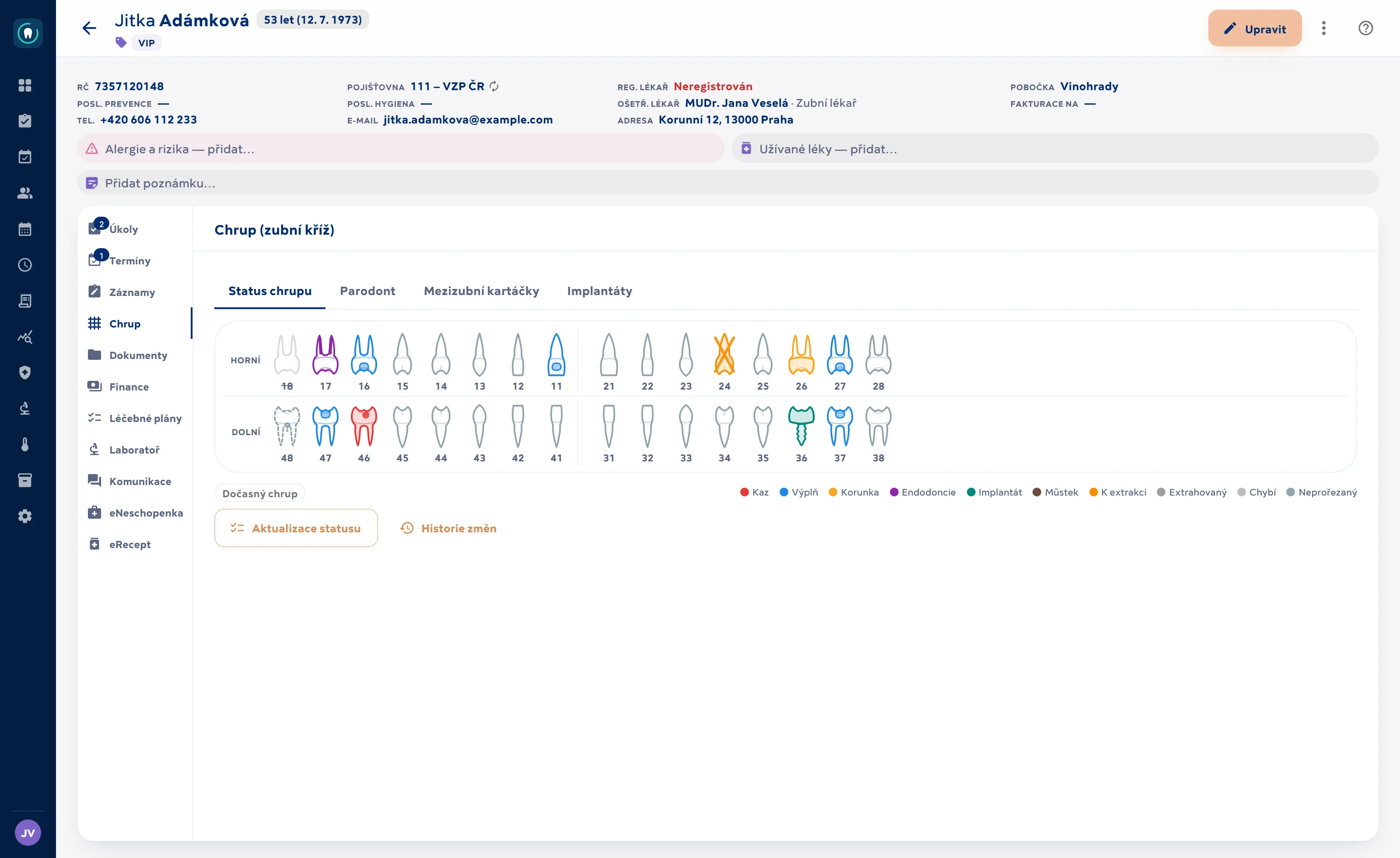
The dental chart as a persistent state that evolves over time — every change has an author and a date.
- Dental chart with the state of every tooth, including surfaces; a tooth with no entry is healthy, and every change is logged.
- Guided status update: a tooth-by-tooth wizard in dictation order; the summary of changes is saved straight away as a clinical record.
- Voice dictation of the status: “16 caries, 17 mesial filling, 21 crown” (dictated in Czech), including surfaces and tooth ranges (in browsers with speech recognition, e.g. Chrome).
- Implant records (manufacturer, system, dimensions, lot/UDI) and an implant passport as a PDF — with the chart and details, for printing or sending by e-mail.
- Periodontal examination: probing depth, recession and bleeding at six sites per tooth, mobility.
- Periodontal charts compared over time — BoP and pocket trends between examinations.
- Recommended interdental brush sizes (Curaprox CPS) for every space — with history and a PDF card for the patient to print or send by e-mail.
Treatment plans and quotes
A plan as a sequence of visits with intervals and a fixed price — the patient gets a PDF, the clinic a clear course of action.
- Plan = a sequence of steps (visits) with time intervals, each step with one or more treatments.
- Items assigned to specific teeth.
- Prices are fixed when the plan is created — later price list changes won’t upset it.
- Quote derived from the treatment template (procedures + materials, including the insurer’s contribution) as a downloadable PDF.
Lab orders first iteration
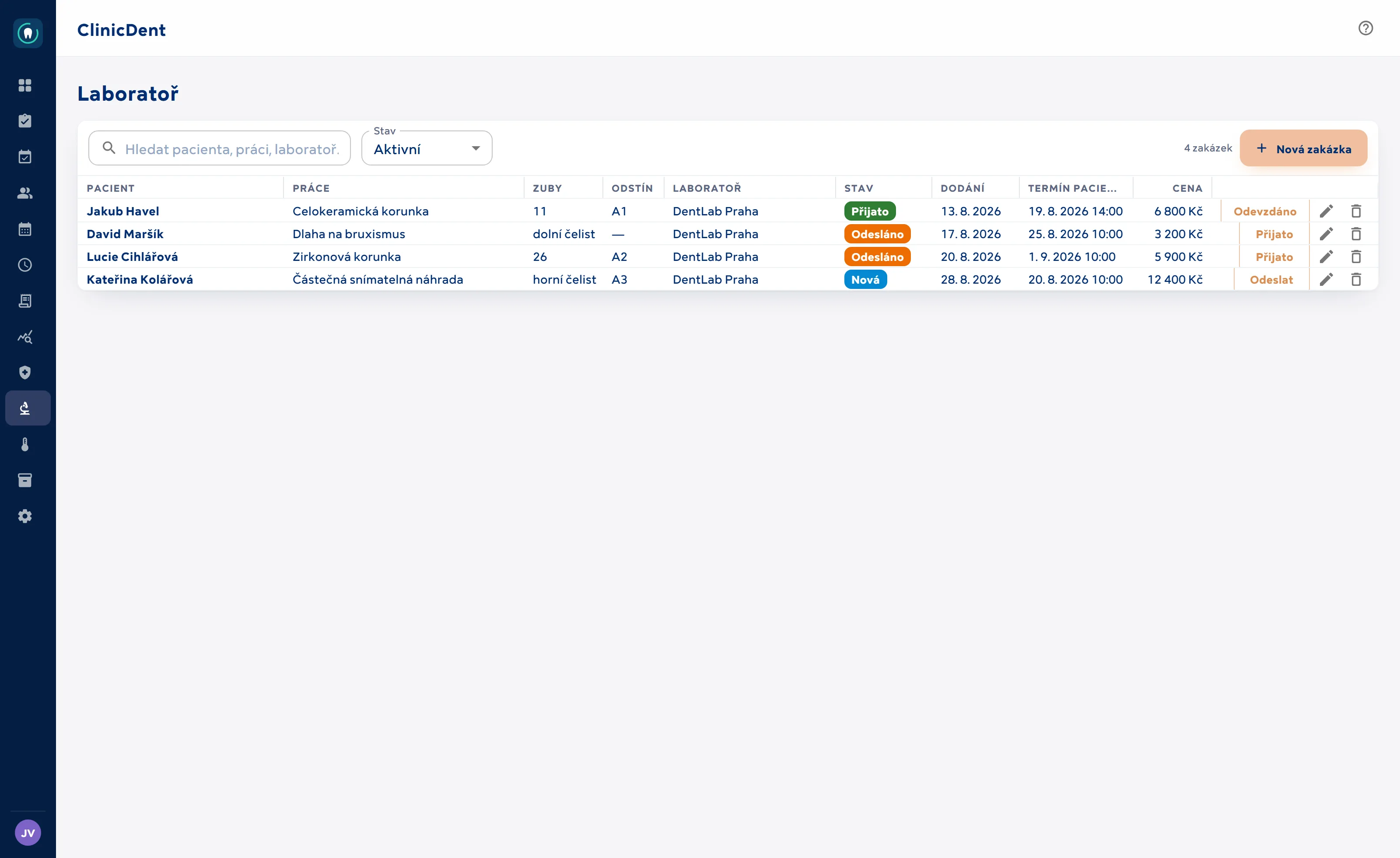
Tracking of dental laboratory work — and making sure it arrives before the patient does.
- Order: patient, type of work, teeth, shade, laboratory, dentist, price and delivery date.
- Statuses New → Sent → Received → Completed, each change dated.
- Conflict check: each order shows the patient’s next appointment — the system warns you when the appointment is close and the work hasn’t arrived yet.
- A dedicated Laboratory page plus a tab in the patient record; laboratory names are suggested from history.
eNeschopenka and eRecept
Issue Czech electronic sick notes and e-prescriptions straight from the patient record — no switching to government portals.
- eRecept (Czech e-prescription) connected to the central repository of SÚKL (State Institute for Drug Control): prescriptions are created from the patient record with suggestions from the drug database (DLP) and signed with the dentist’s personal certificate.
- Cancel a prescription and print the prescription slip; the eRecept system sends the prescription ID to the patient.
- The patient’s medication record — prescriptions and dispensations from all doctors — and an automatic duplicate-medication check before prescribing.
- eNeschopenka (Czech electronic sick note) via the B2B interface of ČSSZ (Czech Social Security Administration): issue, end or take over a sick note from the patient record; the system generates the decision number and the submission is logged with the patient.
03 · Money and claims
Money and claims
Insurers, invoicing, inventory and numbers for management.
Insurance claims
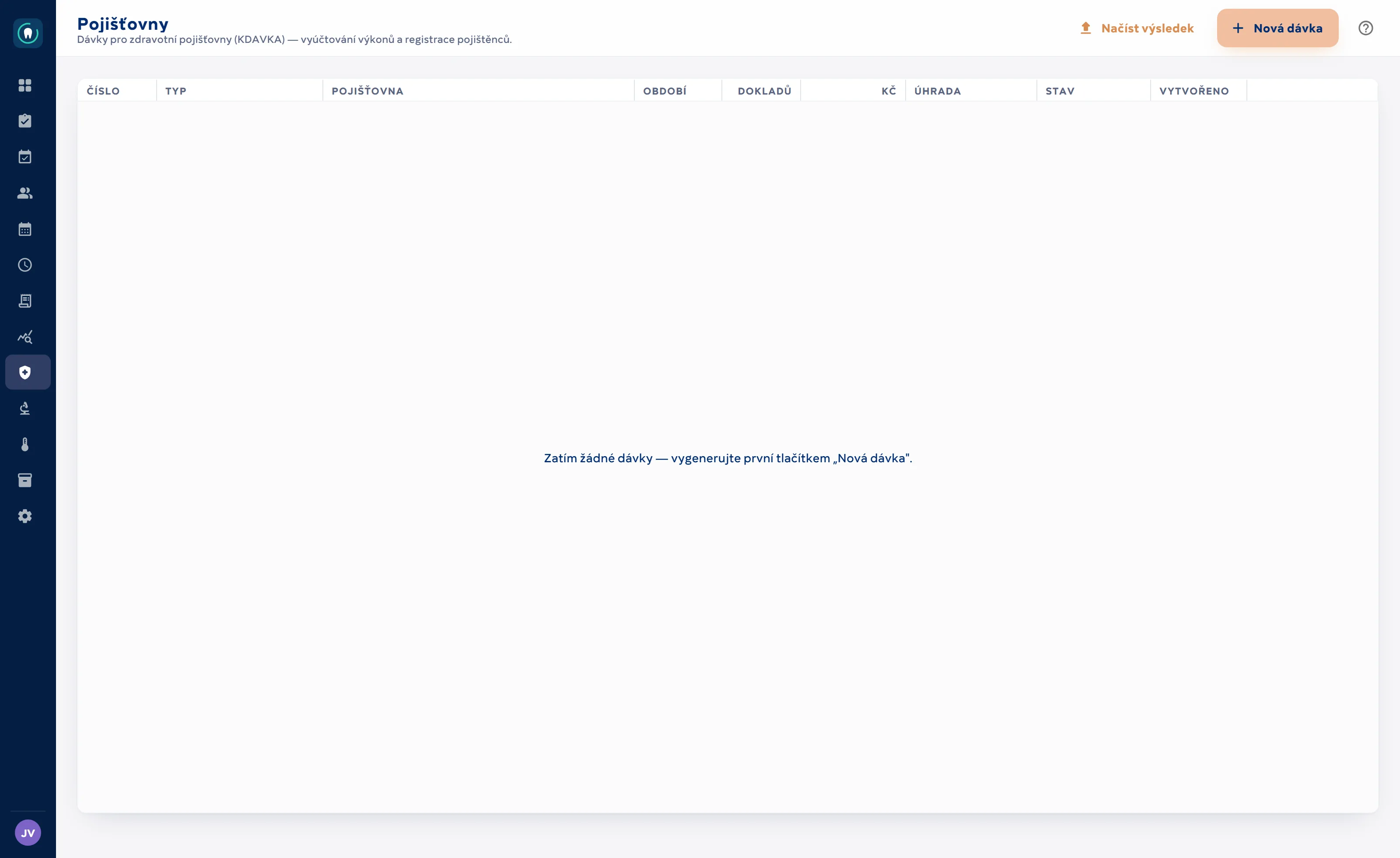
KDAVKA claims batches (the Czech insurers’ data format) for all Czech health insurers — generated straight from signed clinical notes.
- Batch 81 (mixed outpatient batch for dentistry) with 01s claim forms, including tooth location.
- Batch 80 — registrations of enrolled insured patients.
- Format according to the data interface of VZP, the largest Czech health insurer; the same file is accepted by all insurers (111, 201, 205, 207, 209, 211, 213).
- The generator has been verified against a live batch sample from previous software — it reproduces it byte for byte.
- Custom numbering series for batches and claim forms, so you can continue the series from your previous system.
- Payment reconciliation: for each claim form you record paid / reduced / rejected with amount and reason, or in bulk “remaining = paid”.
- Rejected procedures can be returned for claiming and sent in a corrective batch.
- IČP check: registration and visit codes are validated against the IČP (provider facility number) of the claiming dentist (the “Claimed by” field on the record) — the batch flags any mismatch.
- Insurer code list and a record of claimed care for each patient.
Invoicing and cash desk
Invoices are created from uninvoiced procedures across records; the cash book closes the day.
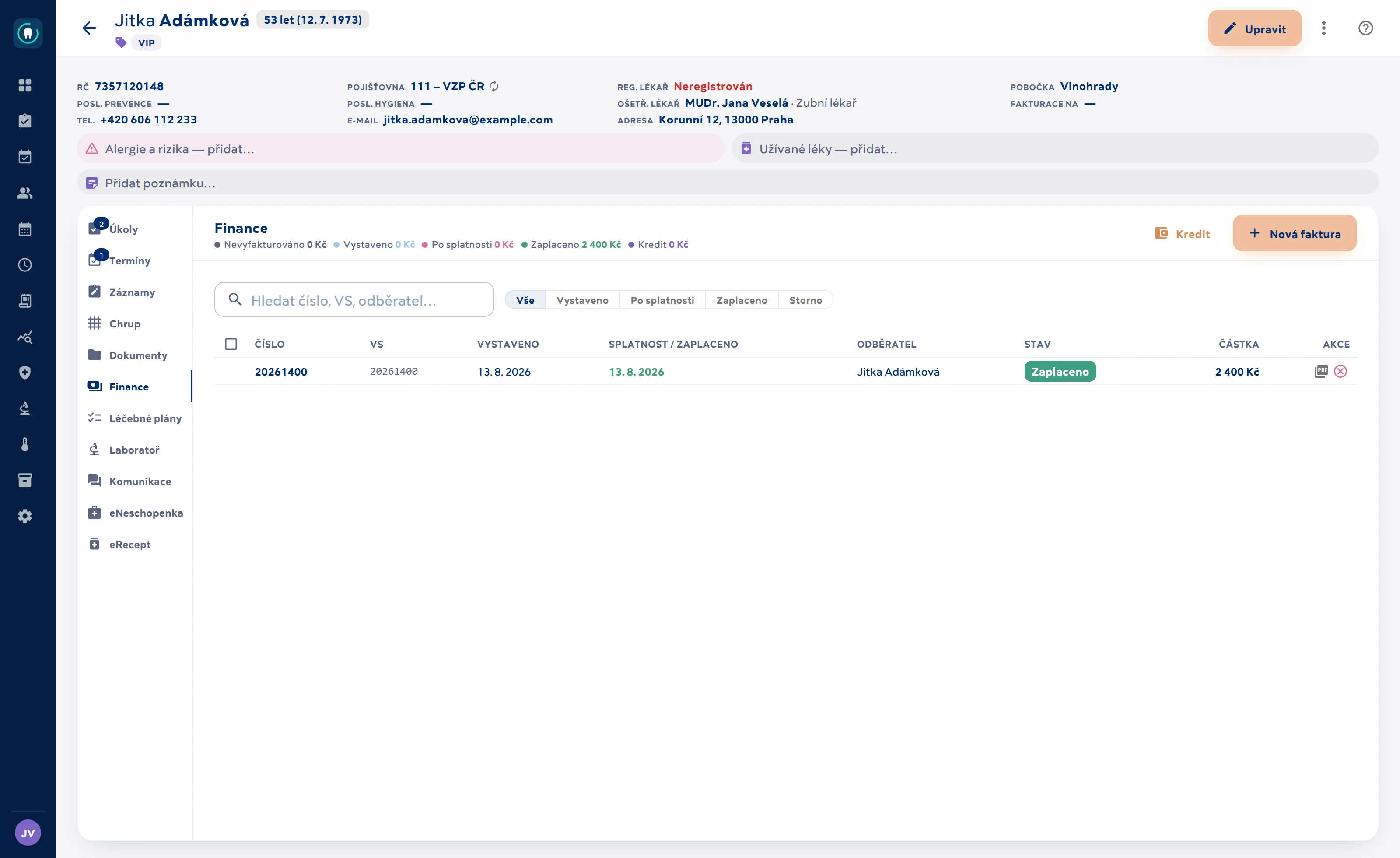
- Select not-yet-invoiced procedures across clinical notes → an invoice with a price snapshot of each item.
- Statuses issued / paid / cancelled; overdue is derived from the due date.
- Invoices generated as PDF.
- Discounts with rules: dentists may discount only their own work (and their fee is reduced accordingly), clinic-wide discounts require permission; one payment dialog with methods shown as tiles.
- Card payments via ComGate: the invoice amount goes straight to the terminal at reception (with an optional tip), or a link and QR code are created for remote payment.
- Patient deposits — including deposits tied to a specific appointment, collected in advance through the booking portal: deposit receipts, automatic invoice settlement, refunds.
- Instalment plans: payment options for a treatment plan (down payment, instalments, discount) with PDF and QR codes; debt repayment schedule with an “Acknowledgement of debt” PDF; automatic instalment reminders.
- Bank transfers: import of bank statements (camt.053, CSV) and reading of bank notification e-mails from the inbox — matched by variable symbol (payment reference) and amount.
- Cash book: payments received over a period as a daily closing.
- Exports for your accountant: issued invoices for a period to the Czech accounting software Pohoda (XML dataPack) and Money S3.
- Retail sales — goods and materials outside procedures.
Materials inventory
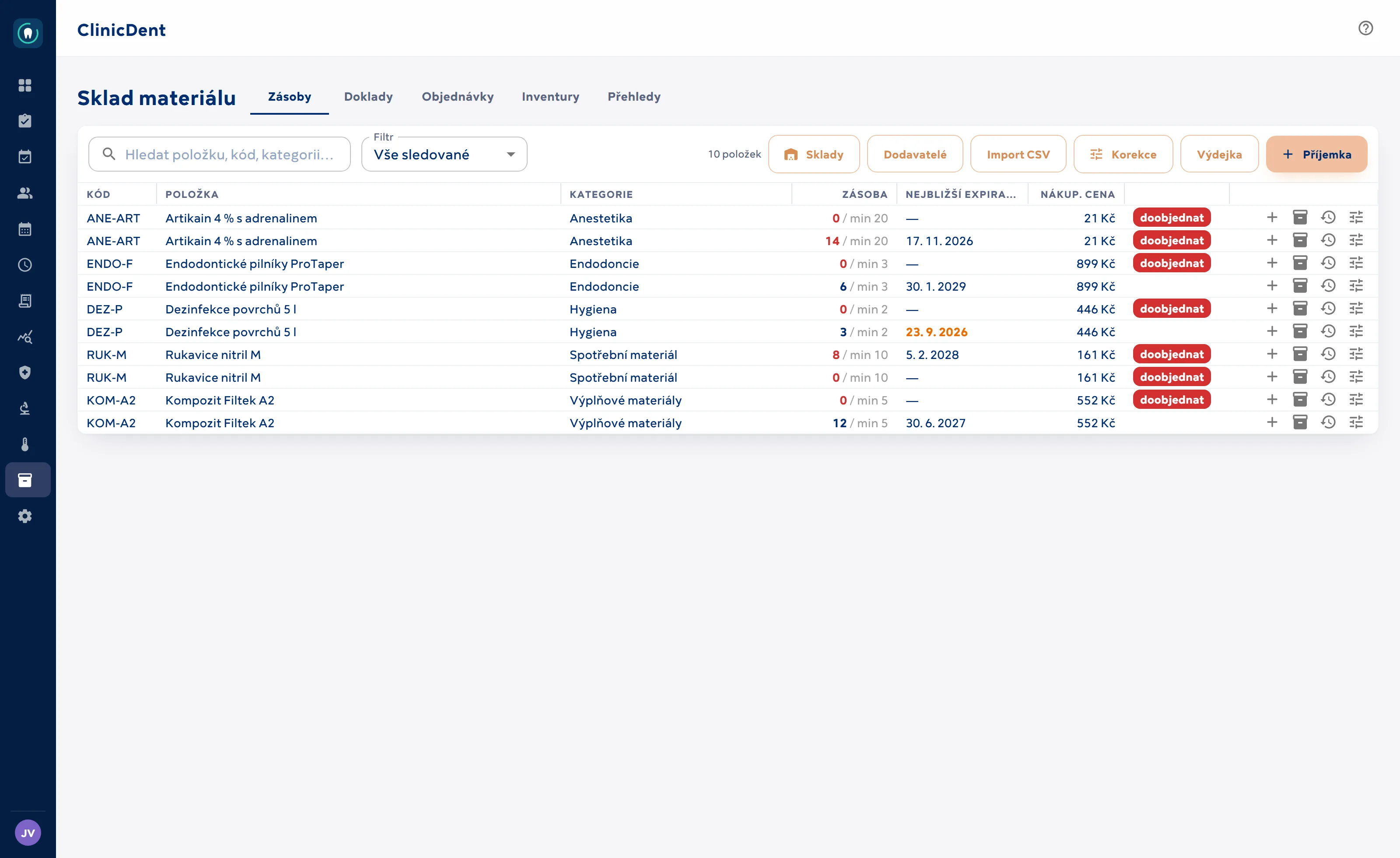
Full inventory management — from goods receipt to stocktake — that writes off consumption automatically from clinical records.
- Multiple stores with transfers; goods receipts and issue notes with printing, supplier records.
- Batches with expiry dates and FEFO write-off — what expires first is used first. Consumption is written off automatically from the materials in clinical records.
- Barcodes (EAN/QR): receive and issue items by scanning with your phone camera right at the shelf, or with a hardware scanner; packaging and unit conversions.
- Orders from minimum stock levels in one click, sent to the supplier by e-mail; a morning watchdog for minimums and upcoming expiries.
- Stocktakes with a report, stock valuation, inventory reports and CSV import of opening balances.
Reports and statistics
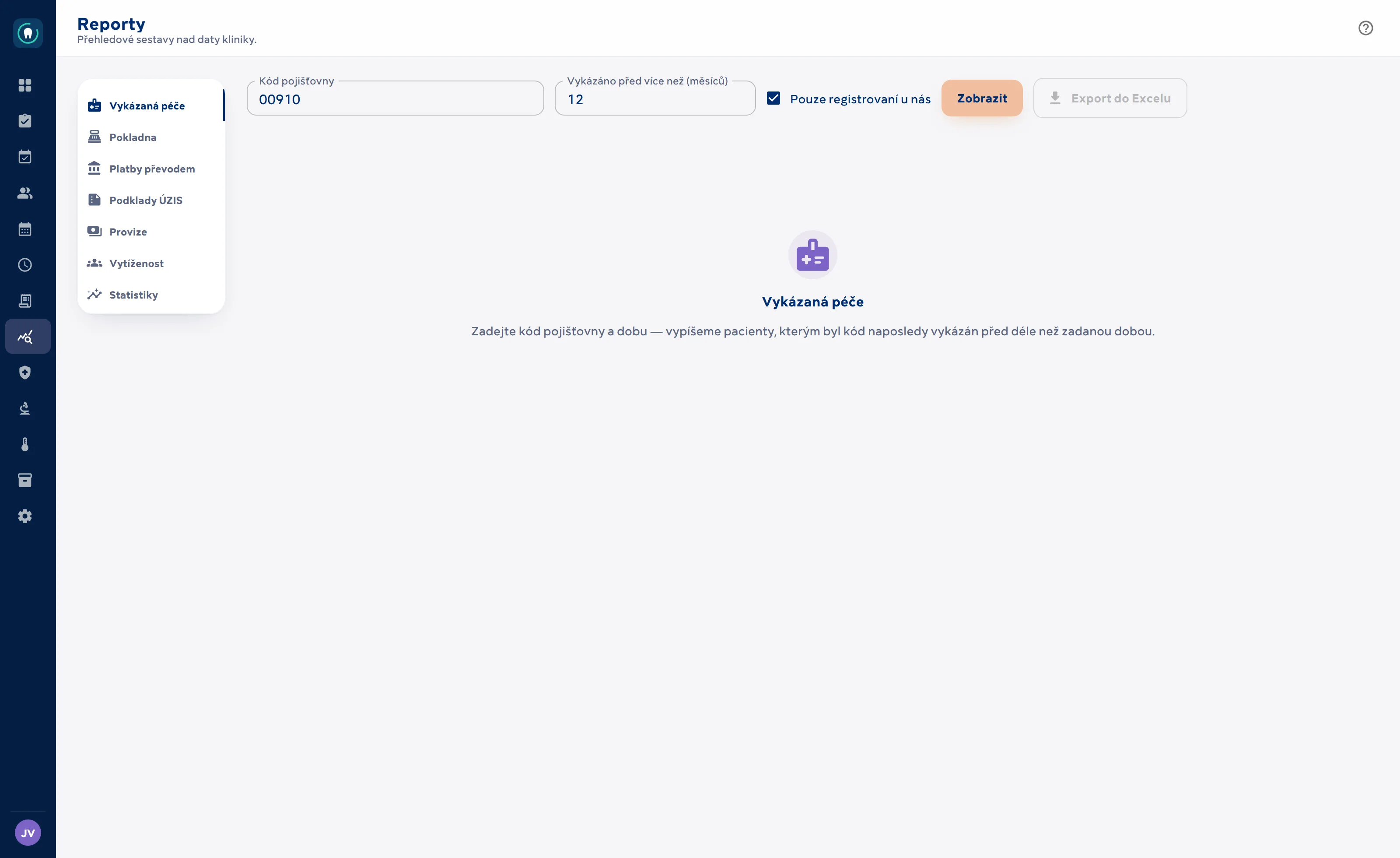
Reports and monthly statistics on clinic data — from no-shows to dentist commissions.
- Monthly statistics: appointments, no-show %, occupancy against shifts, new patients, recall, production and claimed care — with summary cards and month-on-month comparison.
- Dentist pay: by seniority level (Junior to Pro) from fees per procedure, or a custom percentage of production; the monthly closing fixes the figures and produces a PDF basis for the dentist’s invoice (for self-employed dentists).
- Claimed care log: chronological list of procedures with filters, clinical note preview, click-through to the record and export.
- Management reports: Revenue (invoiced vs. received, broken down by payment method and dentist), Treatment plans (pipeline and acceptance rate) and Receivables (ageing past due date, taking instalments into account).
- Claimed care report: patients for whom a given insurer code was last claimed more than X months ago.
- Every report has an on-screen view and an .xlsx export.
04 · Back office and presence
Back office and presence
Hygiene of operations, documents, settings — and the website that shows your clinic to the world.
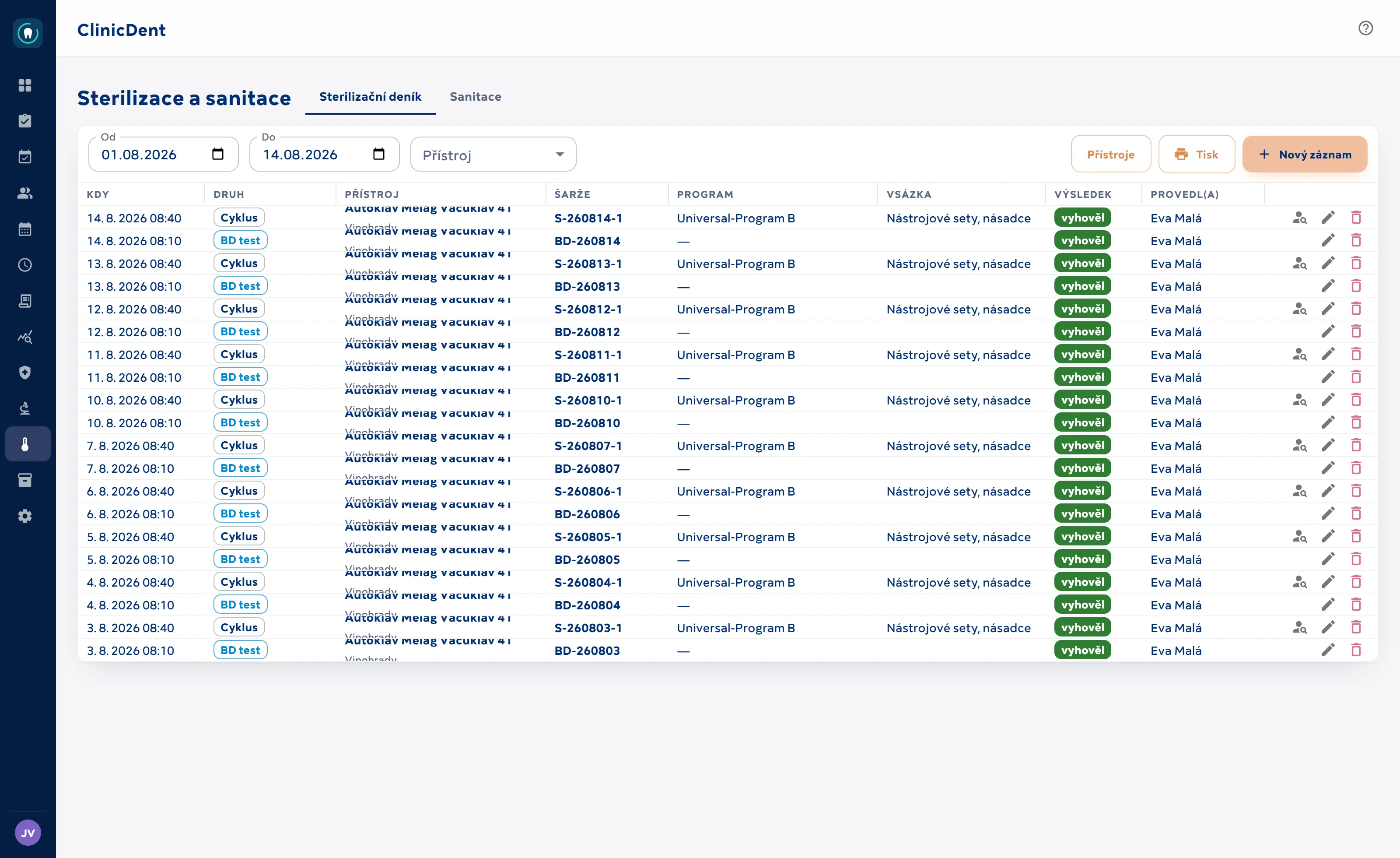
Sterilisation and sanitation
Electronic sterilisation and sanitation records with batch traceability down to the individual patient.
- Register of devices and programmes; log of cycles and tests (batches with automatic numbering, chemical and biological tests).
- The treatment entry lets you pick a batch from recent days — the instrument → patient link is created as you work.
- Traceability in both directions: from a batch to the patients it was used for.
- Sanitation records with interval tracking — the system flags anything overdue.
Documents and e-signature
Informed consents and forms are generated with the patient’s data and signed on a tablet.
- Document templates with placeholders — generated into the patient’s attachments as finished PDFs.
- Rich template markup: headings, tables, columns, bullet lists, highlighting, page breaks. A syntax-highlighting editor right in the settings.
- Template versioning — a snapshot is taken before every change, with history, preview and restore. Templates can be duplicated, exported and imported.
- Let AI write a template for you: the AI skills page offers a ready-made skill that teaches your assistant the ClinicDent format so it creates a file ready to import.
- Document translations in whatever languages the clinic chooses.
- Print a blank form or a document filled in with the patient’s answers.
- Fixed PDFs (uploaded files) are copied into attachments with one click.
- A shared header and footer for all generated documents.
- Signing with an SMS code on any device: the patient opens the document via a link (on a clinic device or by e-mail), verifies with a one-time code sent to their phone and signs — in five languages.
- A clause with the document fingerprint (SHA-256) is appended to the signed PDF; signing runs entirely within ClinicDent and the document never leaves the clinic’s system.
- @obsluha fields: questions filled in by staff in advance (teeth, procedure…) — the patient doesn’t see them while signing and cannot overwrite them.
- Treatment documents in advance: a few days before the appointment the patient receives an e-mail with information PDFs and a link to sign consents from home; anything left waits on the tablet at check-in.
Clinic operations
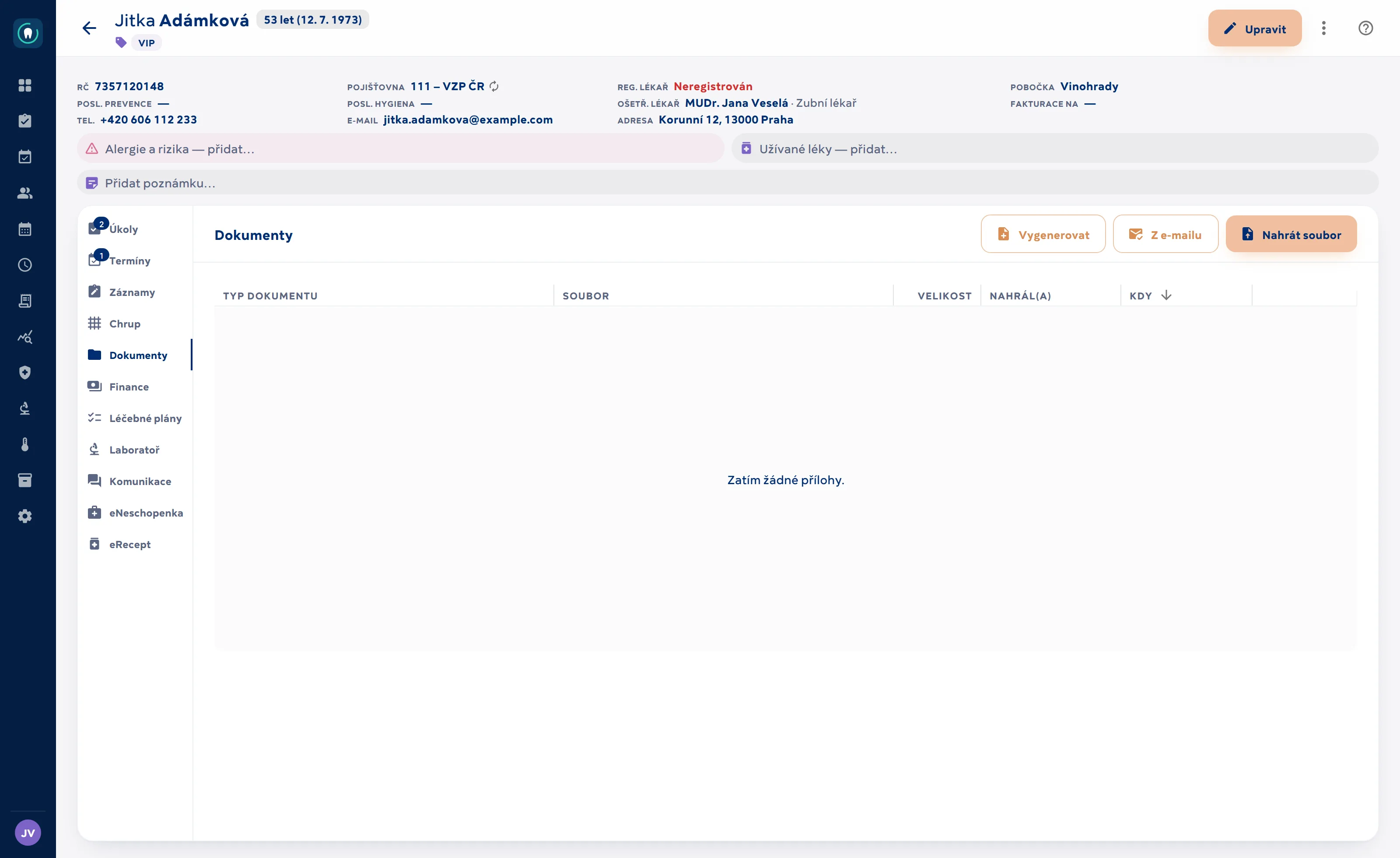
Tasks, shifts, branches and a waiting-room status screen — operations, not just records.
- Dentist’s daily dashboard: live appointment status from reception (in waiting room / in treatment / done / no-show), patient risks, outdated medical history alerts and a Start treatment button.
- Tasks linked to a patient, assigned to a role, a group or a specific person; the due date can even be “at the next visit”.
- Staff shifts, surgeries, branches and staff groups.
- TV panels for the waiting room or nurses’ station — the “right now” status of surgeries, with access limited to allowed IP addresses.
- Built-in help: dozens of topics with full-text search, opening in context of the screen you’re on.
- Code lists, tags and clinic settings in one place.
iPhone app
ClinicDent in your pocket — a native app for clinic staff, available on the App Store.
- Today’s schedule, calendar, patients, tasks and internal messaging (including reactions) — all live from the system.
- Chairside treatment entry: pick treatments from the price list, procedures, materials and diagnoses, tap teeth in the FDI grid, clinical notes with formatted text.
- Push notifications for new messages and urgent tasks.
- Contact a patient with one tap; notes on the record.
- Czech, English and Slovak; light and dark mode.
A website for your practice
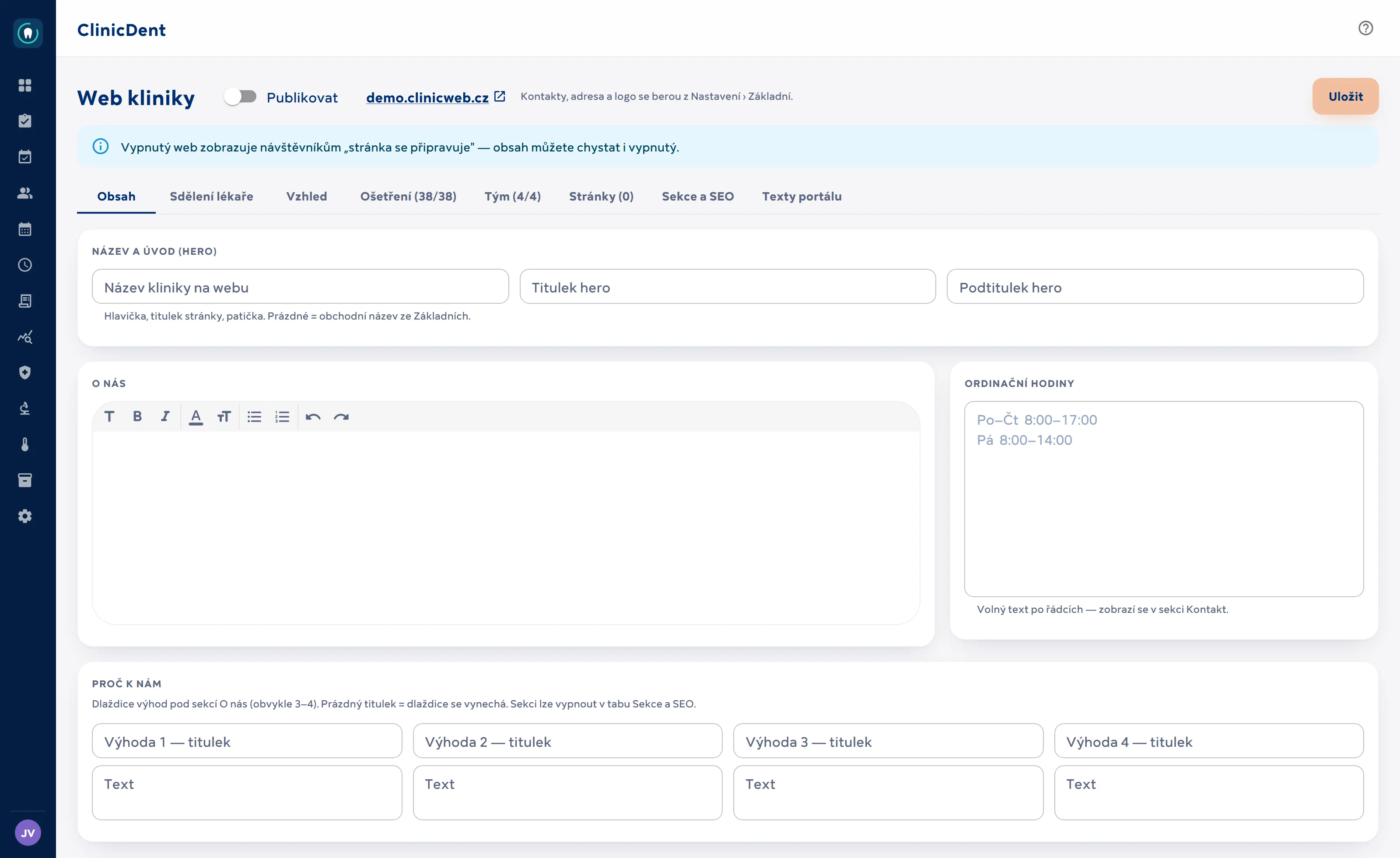
A modern clinic website on your own address — filled with content from data already in the system.
- The site runs at {your-clinic}.clinicweb.cz; its content (services, team, branches, opening hours, insurers) is read straight from the system — nothing is maintained twice.
- The clinic fine-tunes the look, texts and sections in Settings › Clinic website: introduction, “why choose us”, a message from the dentist, team profiles, an optional price list from the data.
- Custom text pages with a WYSIWYG editor and templates (practice rules, quality guarantee). Mandatory legal pages — terms and conditions and privacy policy — are created automatically for each clinic from a template with its billing details.
- The booking button leads straight to the booking portal — a website visitor becomes a patient in the calendar.
- SEO built in: page descriptions, sitemap, robots.txt, llms.txt for AI and structured data (schema.org Dentist for each branch) — separately for every clinic.
- Marketing: optional Google/Meta tracking with a cookie banner, Google Ads conversions after a completed booking, Search Console verification.
- A fixed booking bar on mobile — most patients arrive from their phones.
Missing something you use today?
ClinicDent is developed around how real clinics work. Tell us what you need — we’ll check whether the system does it today, or what it would take to add.